Showing posts with label electronics. Show all posts

Thursday, March 5, 2015

Computer Peripherals From IDsonix Under $40 That You May Need

Our digital gadgets get updated faster than we think. We may not have to frequently change our electronics such as computers or smart phones every time there is a release of the new computer or smart phone. For better entertainment and work, we also need more computer peripherals that can maximize the service of our computer. Computer peripherals, compared with computers or other smart phones, are less expensive and we can afford to frequently update them. For not breaking the bank, here are some peripheral accessories under $40 that you may need for work.


USB Hard Drive Dock for Easily Accessing Data

Still no hard drive docking stations? Time to get one, especially when you have to frequently back up data for personal use or for work. Hard drive dock station is useful when we have too many data such as files, photos, videos to be stored. USB 3.0/2.0 to SATA hard drive docking station  is an affordable peripheral accessory priced at $19.99. We need no additional drive or application when we try to access the drives. We may find it very useful when I attempted to access the old data in the drives of old or broken computer.


Dual Dock Station for Offline Data Copy

If a single drive dock station is not enough for you, get a USB 3.0 dual bay hard dock station that can realize fast offline copy of data and ensure better data security. This dock station with dual bays offer a storage space up to 8 TB and a transfer speed of 5Gbps. It makes large data backup much easier. It is now $35 and a really nice peripheral accessory. If we have a lot of data and need to back that data up frequently, then such a more complex setup is needed.


USB Hub for Extra Ports & Clutter Free Desk

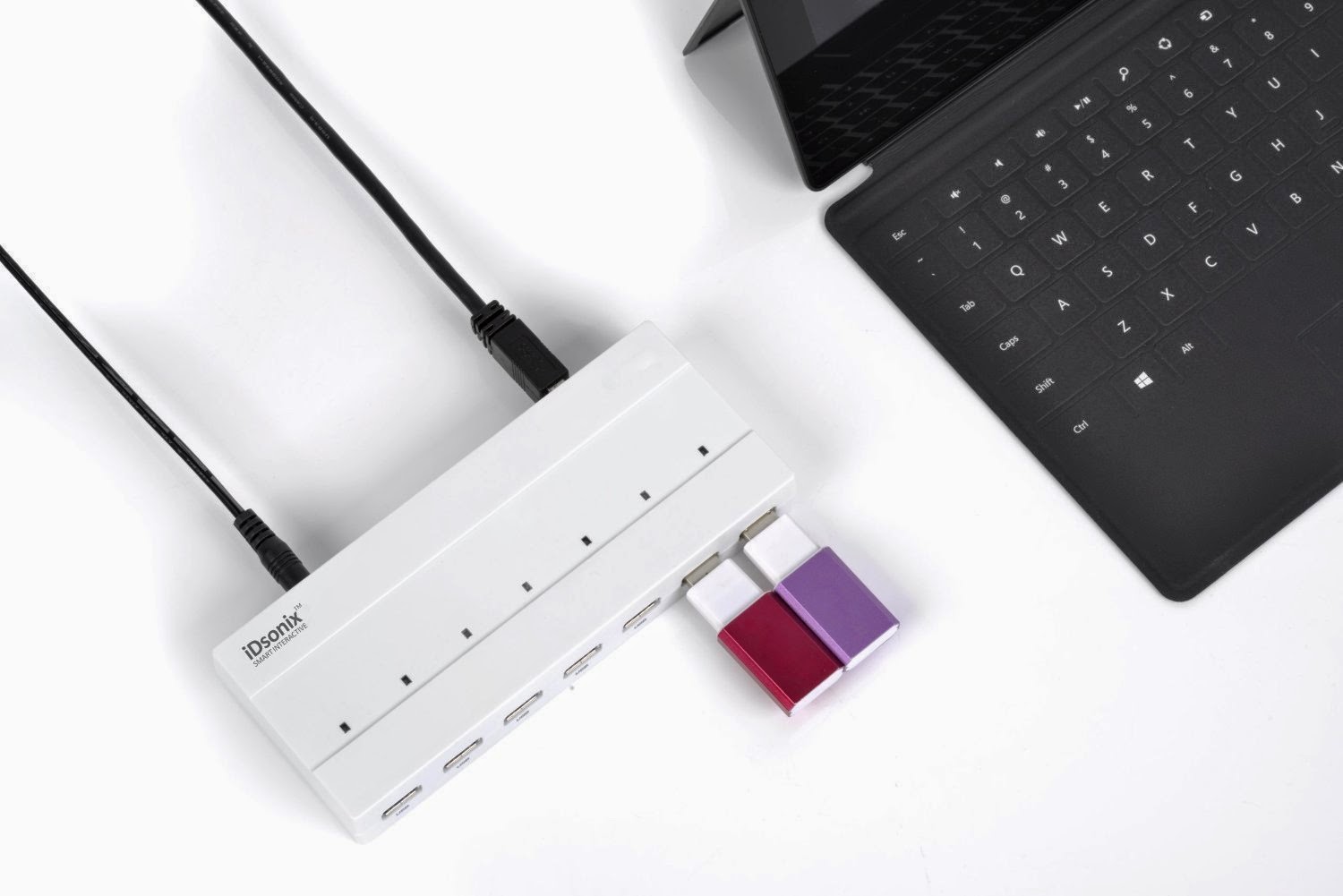
We have so many USB powered gadgets that our computer hardly satisfy the need of USB ports. When we need to access different data from different gadgets or when we need to connect more electronics to our computer at the same time, the USB hub is very practical accessory. This powered USB hub is now available at $30.99 and it also has charging ports for any USB powered devices. Besides, this USB hub can save us the use of more cables or cords and thus better organize our desk.

They are peripheral accessories under $40 right now and there are more affordable computer as well as mobile peripherals from iDsonix. If you find you need them, get them from iDsonix on Amazon.

Monday, February 9, 2015

How Many of the Computer Peripheral Accessories That You Still Use?

Digital technology changes at a rather fast speed. So do the computer peripherals. We may not change the computers too frequently, but we tend to change the peripheral accessories that maximize our use experience of the computer more frequently. For example, now there are a lot of wireless mouse of higher performance in the market. Do you still use the mouse with a wire?

There are a lot of newer computer peripherals that can replace and upgrade the performance of those older ones to bring us convenience and speed. Then besides the obsolete external mouse for iPhone or MacBook Air, what kind of computer peripherals that seem to be out of date do you still use? Here we just love to share some of the peripherals that seem not to be practical. Of course, if you like, you can use them again.

external hard drive

External Hard Drive: Do you still use the external hard drive yet? The once-for-a-while popular technology seems a bit out of the game, if not completely. Is the external hard drive still that useful peripheral today? The cloud system just makes the operation of backing up our documents more easily. When we have easy access to Google drive or Drop, it seems we do not need to back up our data with the external hard drive any more.


External Keyboards: Just count how many keyboards you have bought ever since you got your first computer. Among all the keyboards you have used, how many different designs of the keyboard are there? If not wrong, most of you have used ergonomic keyboard, or the keyboard with the design concept of best fitting the positioning of our hands, the wireless keyboards, mini keyboards or the keyboards with chic function buttons.
Speakers for Computer: I still remember in the very early time of using desktop computer, we will use speakers to make the computer also work as a stereo system. We listen to the music played by the computer. But now, we can use our smart phone, iPod or other much portable gadget for enjoying high end audio. The use of these mobile devices as stereo system seems much flexible. It seems not so cool nowadays to make our computers double as stereos.


External Monitors: Do you still hook the laptops to big external monitors? Most of the laptops made within the last few years can connect an external monitor. For those who always do some trading online, maybe two or more monitors are necessary. Now most of the electronic devices tend to be much more portable and mobile. An 13 inch MacBook Air screen seems enough for most of us.


There are a lot of computer peripherals that we do not need. But some of computer peripherals such as printers are what we still need now, though now e-ink readers are supposed to replace printers. We still need scanners to scan the photos or make digital pictures out of paper pictures. We need USB hub for more USB ports and better organize our desk.


Thursday, February 5, 2015

Top Gadgets With Special Designs: Insane or Creative?

We can not live without tech gadgets nowadays. The diversified gadgets just enrich our lives. For most of the tech addicts, nothing is better to start a new year than new electronic gadgets. If you have ever paid any attention to the consumer electronics show, you will find a lot of digital devices or gadgets with craziest designs. The word craziest I use here may be stunningly brilliant for some or insane for others because sometimes, there may be no clear line between brilliant and stupid. Here are some top gadgets for you to define whether they are stupid or genius.


Digitsole for Heating Feet

We suffer from cold feet in the winter on our way to work or when we are out for skiing, hiking, etc. This gadget is designed for heating our feet. It is heated insole which can be controlled via our smart phone. Besides adjusting the temperature of our feet, it can also track our steps and calories . We can easily warm up our feet with the on/off button on the app screen. It is a brilliant gadget, but $200 for one pair of such insoles makes a lot of people not sure about the purchase.


Logbar Gesture Control Ring

Just as its slogan says, one gesture, one magic, this gadget offers the users convenient control of appliances within the home just by waving our finger in the air. We can use it to turn on the TV or lights just as we do with the remote controller. The ring just makes us much like a wizard, but how many people are willing to pay $270 for this gesture control?


Self adjusting smart belt

After a big meal, we may love to loosen the belt. This gadget is designed to perform that task out of our hands. It can automatically adjust itself based on how much we've eaten and how much exercise we've done to compensate. Its ability of tightening and loosening itself to keep us comfortable seems excellent. But shall we really need it?


Light That Produces Music

Have you ever seen such light that can produce music? This is the amazing part of this Sony Symphonic light, which has an LED bulb and a speaker inside. We can use an app on the smart phone to control the light and sound. The design is innovative in making invisible technology tangible. We may have seen a lot of LED lights of unique design, but this may be the first time that we see one such light which can play music.

Monday, August 25, 2014

Update Charging Brick For Something Better

Every new digital gadget we purchase will come along with its own matched charging brick and cable. That's great at first. But with the electronic devices we buy grow in numbers, we will have  a lot of charging cables, charging bricks or even wall adapters, scattering all around the room or in the drawer. Will you find it a trouble when we attempt to find the exact chargers and cables for one device yet to find them wind up in a mess? Actually, there is no need to use all of these chargers or we do not need all of them. 

Luckily, most of the chargers for our electronics are compatible and interchangeable. It’s easy to choose one single charger for all of the digital devices. Most of our chargers that go with different devices are USB supported ones, and we can use USB port to trade for a handful of the chargers. 

As long as our electronics can be powered via USB, most of the USB charging cable or USB supported wall brick can be substituted by the one USB charger or USB port for powering the devices, just in the way that our computer is connected to the devices for data transfer or powering. Of course, some of the new electronics may need some different charger or cable, such as micro USB, then we just need to prepare some mini USB. Anyway, we need to update a mess of chargers and cables with a free USB port. Or we can power multiple devices via several USB ports connected to one USB hub instead of plugging into the wall. 

If you have no idea of using the USB port and still want to charge the device via the charging brick, just bring one such brick along with you. Ensure the charging brick falls into the type which enables you to plug the USB cable into the brick itself. In this case, we can use the charging brick with any other devices that are to be charged via USB.  

Change the Charging Brick With USB Hub with Surge Protector
Nowadays the appearance of the USB hub with multiple ports just clear up our desk that is originally a mess of charging brick and cables. Have you ever tried the USB hub? The fact that such USB hub with more ports as well as build-in surge protector allows a fast, reliable and secure connectivity to various digital devices and that means we can turn any single plug into enough plugs for powering various devices at one time. 

The hub has great compatibility in that it supports Windows, OS X, Linux and all USB 2.0, very great and convenient option for connecting our computer and USB storage devices. The sleek beauty of the portable surge protector makes it good choice at home or even on the go. The speed is fast enough. 

There are a lot of USB hubs in the market that can ultimately allow us to leave various charging bricks behind at home. We won't need anything else. It is obvious that the USB hub with multiple ports may be the best option if we have to charge more than one devices at the same time quickly.