Showing posts with label electronic device. Show all posts

Monday, August 25, 2014

Update Charging Brick For Something Better

Every new digital gadget we purchase will come along with its own matched charging brick and cable. That's great at first. But with the electronic devices we buy grow in numbers, we will have  a lot of charging cables, charging bricks or even wall adapters, scattering all around the room or in the drawer. Will you find it a trouble when we attempt to find the exact chargers and cables for one device yet to find them wind up in a mess? Actually, there is no need to use all of these chargers or we do not need all of them. 

Luckily, most of the chargers for our electronics are compatible and interchangeable. It’s easy to choose one single charger for all of the digital devices. Most of our chargers that go with different devices are USB supported ones, and we can use USB port to trade for a handful of the chargers. 

As long as our electronics can be powered via USB, most of the USB charging cable or USB supported wall brick can be substituted by the one USB charger or USB port for powering the devices, just in the way that our computer is connected to the devices for data transfer or powering. Of course, some of the new electronics may need some different charger or cable, such as micro USB, then we just need to prepare some mini USB. Anyway, we need to update a mess of chargers and cables with a free USB port. Or we can power multiple devices via several USB ports connected to one USB hub instead of plugging into the wall. 

If you have no idea of using the USB port and still want to charge the device via the charging brick, just bring one such brick along with you. Ensure the charging brick falls into the type which enables you to plug the USB cable into the brick itself. In this case, we can use the charging brick with any other devices that are to be charged via USB.  

Change the Charging Brick With USB Hub with Surge Protector
Nowadays the appearance of the USB hub with multiple ports just clear up our desk that is originally a mess of charging brick and cables. Have you ever tried the USB hub? The fact that such USB hub with more ports as well as build-in surge protector allows a fast, reliable and secure connectivity to various digital devices and that means we can turn any single plug into enough plugs for powering various devices at one time. 
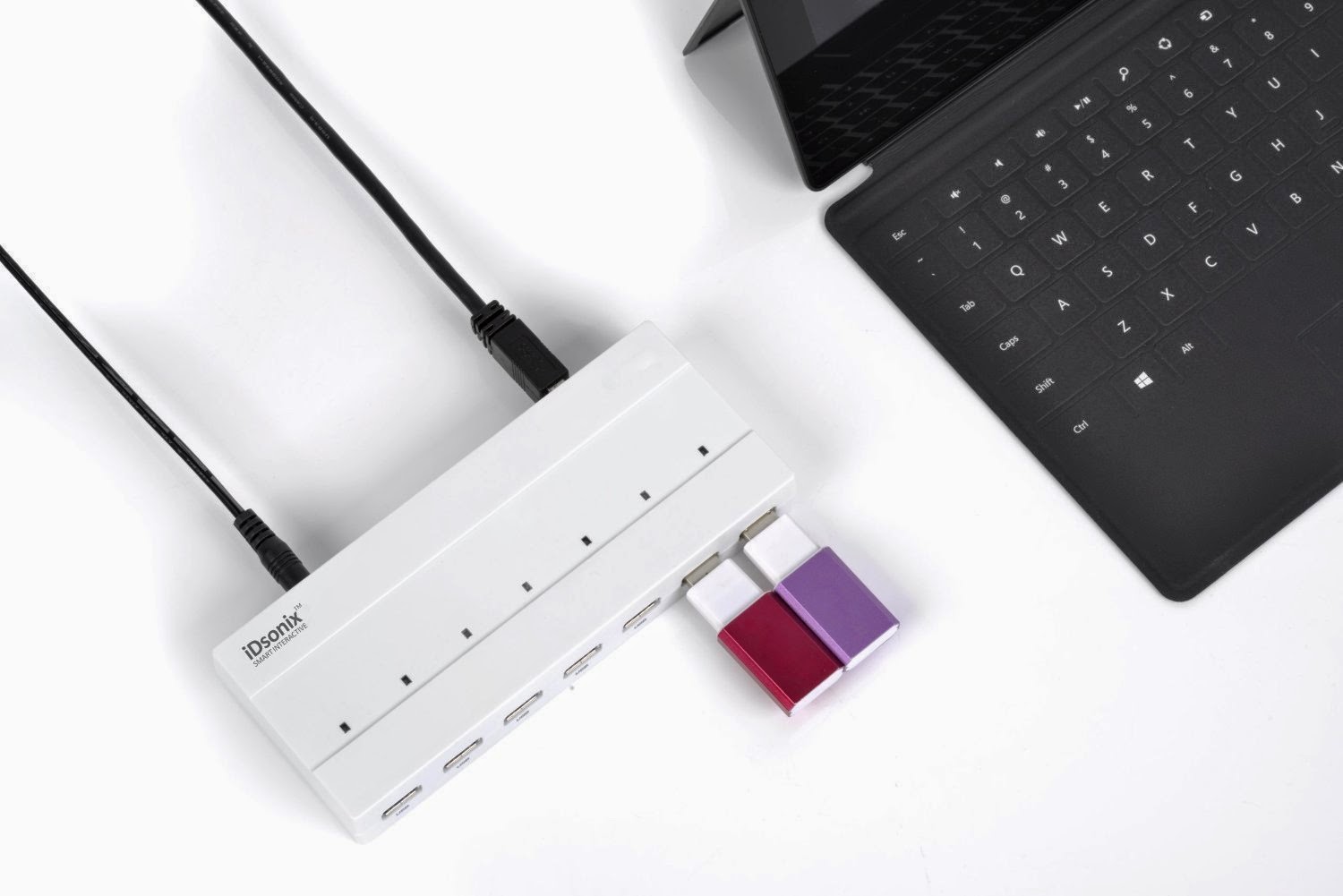
The hub has great compatibility in that it supports Windows, OS X, Linux and all USB 2.0, very great and convenient option for connecting our computer and USB storage devices. The sleek beauty of the portable surge protector makes it good choice at home or even on the go. The speed is fast enough. 

There are a lot of USB hubs in the market that can ultimately allow us to leave various charging bricks behind at home. We won't need anything else. It is obvious that the USB hub with multiple ports may be the best option if we have to charge more than one devices at the same time quickly.   

Monday, August 11, 2014

USB Hubs Add Connectivity to More Devices

Sometimes, we just encounter with such a situation that we have several electronic devices out of power at the same time, but we only have one USB port. It is really disappointing when we can do nothing but wait for each of the devices to get charged one by one. If we get a hub with more ports, things will be easier.

How to Choose USB Hubs

We can find a lot of USB hubs in the market for computers or other digital devices. The USB hubs come in all shapes, sizes and configurations. We can find internal USB hubs, external powered USB hubs, USB 1.1, USB 2.0 and USB 3.0 hub. Faced with so many usb hubs, we need to take into consideration several questions before we get a new USB HUB, such as the devices we use, the ports of the laptop, the usb hubs we have already had. If we have more devices, we need to get hub with multiple ports. If we are often on the go, we need to get some USB hubs that are portable, compact and perfect for traveling.

Four USB Hub As Best Deal

We can spend more dollars to get a newest model, say, USB 3.0 hub with multiple ports that can offer super fast data transfer speed and enough power supply to high power usb devices. We can also spend less to get USB 2.0 hub that is enough to solve our need of more than one port to charge the gadgets. For different needs and budget, we can get the USB hubs we need. But here, i just want to try to share some USB hubs that is considered the best & cheapest deal.

iDsonix USB 3.0 10 Port Hub On/Off Switch

This is a USB Hub 3.0 with 10 ports. The hub has an additional on/off buttons as well as a LED indicator lights that can tell us which USB ports are in use at any given time. The hub is compatible with USB 2.0, or 1.1 devices. The charging port can give out enough current to devices from a smart phone to a laptop or tablet. The data transfer rate can reach up to 5Gbps, super fast.

Anker 7-Port or 9-Port USB 3.0 Hubs

A lot of digital gadget lovers may not strange to the brand Anker. The USB 3.0 hubs are also very popular, for its unique design. It has very small size and a lot of the on-the-go love to use it and place the hub in the bag. The Hubs are actually not the cheapest models around, but it is still worth your investment.

Macally Mini 7-Port USB 2.0 Hub

You will love the pyramid shape. The hub has very simple design, and the price is affordable. Moreover, it is much functional. If you don’t need seven ports, you can also get a four-port Macally hub.

Belkin 2 in 1 USB 2.0 7 Port Hub

It comes with a power adapter, but runs fine without it. This USB hub come with seven ports, enough for charging several devices at one time.. It can hold paper clips and the like in the area around it. Plus the grey part unplugs and goes along wherever you go offering 4 extra ports. It is also a very affordable hub.

Choose Right USB Hubs For Easy Connectivity

While there are many choices with USB hubs, be sure to take the time to find the right one for you. Color and size may be importable, but pay much attention to the uses and positioning of current and future devices. Making the right choice can simplify life, save money, and ensure a great networking experience.